MeshLibCore


Artifact Forms
Project Overview
Artifact Forms is a long-running personal Java project focused on 3D mesh creation, modification, and procedural geometry, combined with ongoing exploration of engine architecture, rendering pipelines, and creative coding workflows.
The project has grown organically over many years and serves as a learning platform, a research playground, and a toolbox for experimentation across multiple technical and artistic domains.
This repository reflects learning over time rather than a fixed product vision.
Background
This project began around 2015 / 2016 as a hobby project to deepen my understanding of 3D geometry construction and manipulation.
At that time, I had recently completed an internship with product design students, where I was introduced to Processing. Processing immediately resonated with me as a tool for visual thinking and rapid experimentation. Designed for visual learners, it provides an accessible entry point into programming and graphics. More information can be found at processing.org.
Early versions of Artifact Forms were therefore strongly Processing-oriented. Over time, as my understanding of software architecture, abstraction, and long-term maintainability evolved, so did the structure and scope of the project.
What This Project Is
- A personal learning platform for graphics, geometry, and engine design
- A 3D mesh library focused on creation and modification of geometry
- A space to explore procedural modeling and generative techniques
- A long-term experiment in evolving and maintaining a non-trivial codebase
- A place to practice refactoring, documentation, and architectural design
What This Project Is Not
- ❌ A finished product
- ❌ A professional 3D modeling application
- ❌ A production-ready or performance-optimized engine
- ❌ A stable API with strict backward compatibility guarantees
Some modules are experimental by design. Others are intentionally simple. Stability and polish vary depending on the area of the project.
Current Focus and Modular Structure
The project is currently being restructured into clearer conceptual modules. This reflects a shift away from a single, Processing-centric scope toward a more modular and intentional architecture.
Core Modules
math
A standalone mathematics module providing:
- vectors and matrices
- geometric primitives
- transformations
- noise and sampling utilities
The math module is intended to have no external dependencies and to
remain reusable across different environments.
mesh
The core mesh module contains:
- mesh data structures
- mesh creators
- mesh modifiers
This module represents the core focus of the project: constructing, transforming, and analyzing geometry.
engine
An experimental engine layer used to explore:
- scene graphs and hierarchies
- component-based design
- rendering abstractions
- input handling
- resource and asset management
The engine exists primarily for learning and experimentation, not as a finished or general-purpose engine.
demos
An experimental playground used for:
- game jam prototypes
- rapid experimentation
- testing current engine or mesh features in real scenarios
Code in this module prioritizes iteration speed and experimentation over structure or long-term maintainability.
Tooling
workspace
A minimal, Processing-based mesh viewer used to visualize:
- meshes
- face and vertex normals
- edges
- mesh modifiers during development
The workspace is:
- intentionally Processing-dependent
- intentionally limited in scope
- not intended to evolve into a full editor
Its purpose is to support development and debugging of the mesh module, not to serve as a general-purpose tool.
Long-Term Direction
There is no rigid roadmap.
The long-term goals are intentionally loose:
- continue learning and refining geometry and engine concepts
- improve structure, documentation, and testability over time
- extract stable ideas from experiments into cleaner modules
- keep the project enjoyable and sustainable
The project is allowed to change direction, simplify, or pause as needed.
Philosophy
This project values learning, clarity, and curiosity over completeness.
Artifact Forms exists because it is enjoyable to work on and because it provides a meaningful space to explore complex technical and creative topics over the long term.
Showcase
The following images are showing the library in action.
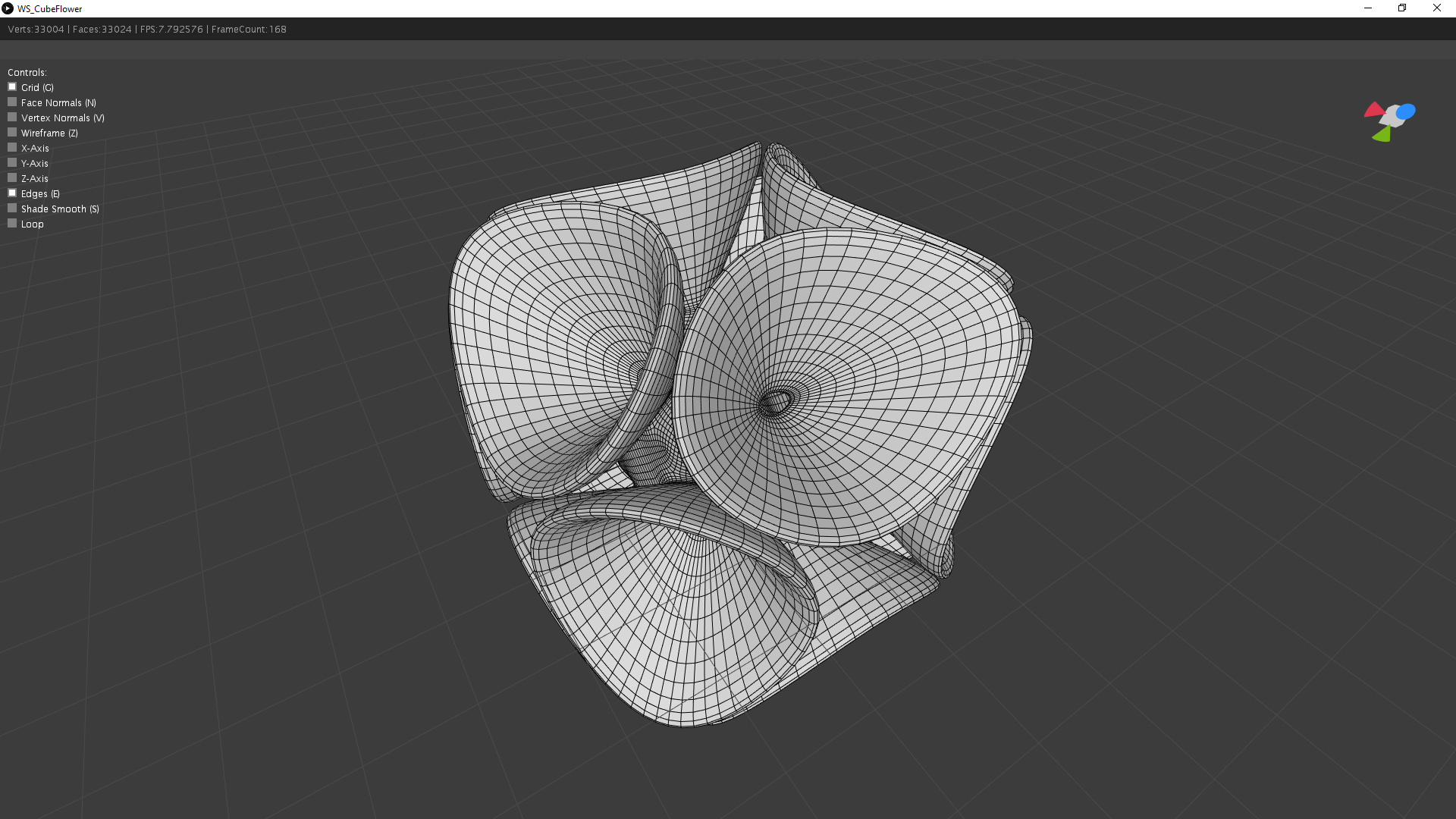
Subdivision is so beautiful and satisfying to look at.
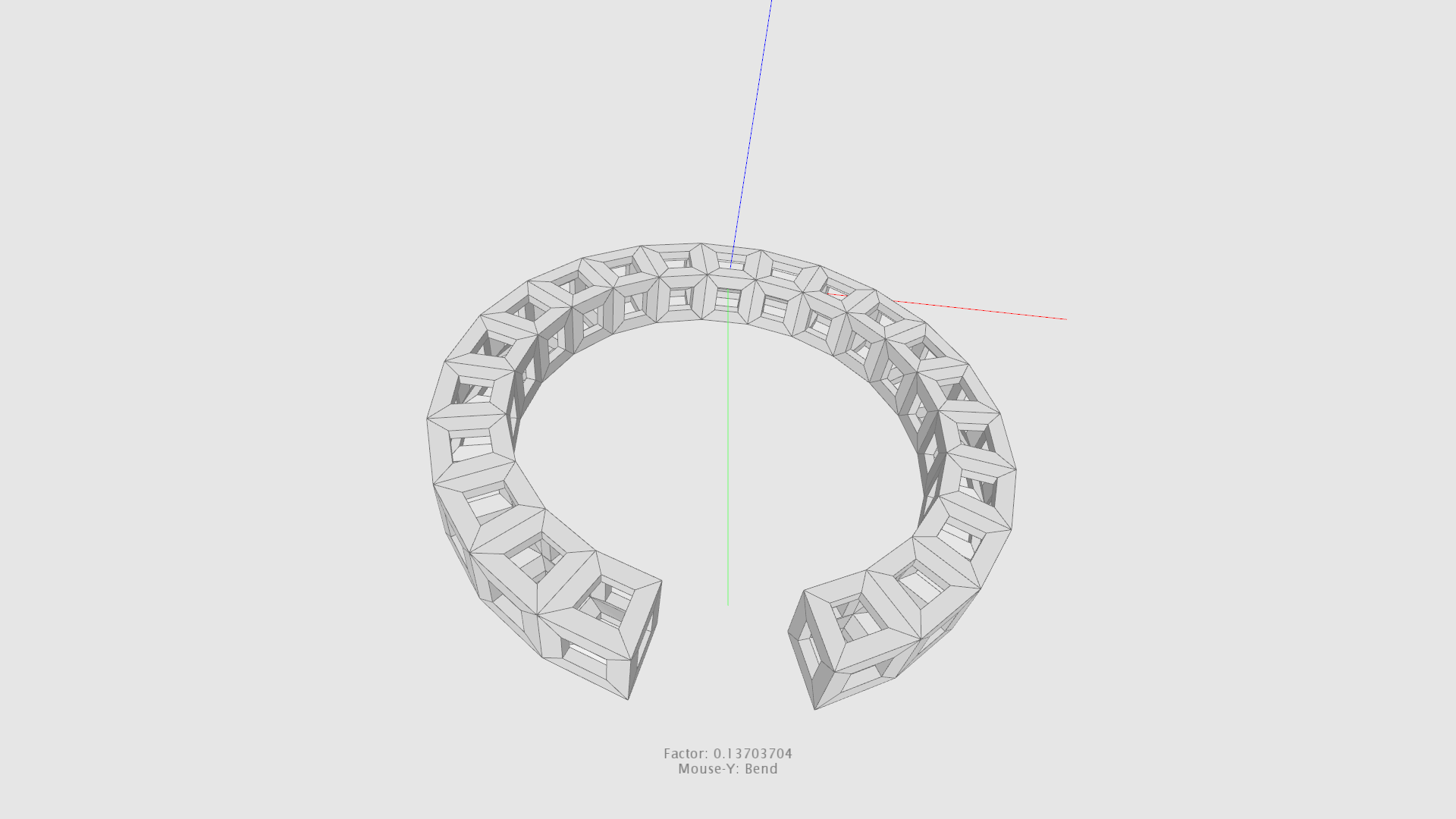
bend bend bend mesh…
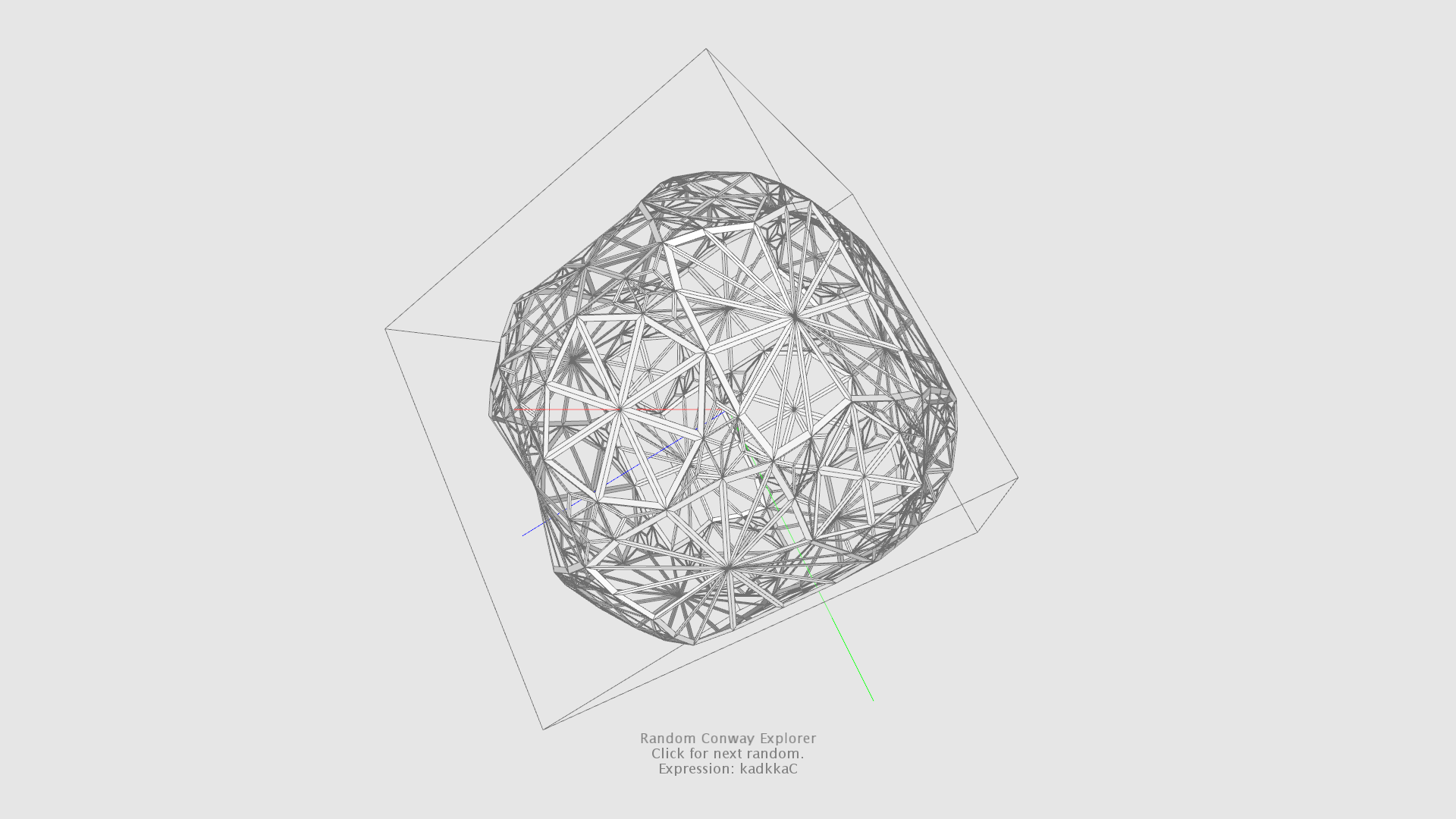
Throwing some conway operations on a cube seed.
Core Elements
- Mesh3D
- Face3D
- Edge3D
- Creators
- Modifiers
Coordinate System
- +X → right
- -Y → up
- +Y → down
- -Z → forward
The decision was justified by using the ‘Processing’ rendering pipeline in the first place. But the core library is highly decoupled from the ‘Processing’ environment. So the library could be used independently.
Mesh3D
Important: This is just an example to illustrate the base concepts. The library already provides a convenient way to construct primitives and more complex shapes. But we dive into this at a later point. For now, let’s keep things simple.
Mesh3D Object
import mesh.Mesh3D;

Mesh3D mesh = new Mesh3D();
Vertex Coordinates
mesh.addVertex(1, 0, -1);
mesh.addVertex(1, 0, 1);
mesh.addVertex(-1, 0, 1);
mesh.addVertex(-1, 0, -1);
Construct Faces
mesh.addFace(0, 1, 3);
mesh.addFace(1, 2, 3);
Modify the Mesh
int vertexCount = mesh.getVertexCount();
int faceCount = mesh.getFaceCount();
SolidifyModifier modifier = new SolidifyModifier();
modifier.setThickness(0.5f);
modifier.modify(mesh);
Creators
IMeshCreator Interface
package mesh.creator;

import mesh.Mesh3D;

public interface IMeshCreator {

    public Mesh3D create();

}
Example Creator
public class MyQuadCreator implements IMeshCreator {

    private float halfSize;
    private Mesh3D mesh;

    public Mesh3D create() {
        initializeMesh();
        createVertices();
        createFaces();
        return mesh;
    }

    private void initializeMesh() {
        mesh = new Mesh3D();
    }

    private void createVertices() {
        addVertex(halfSize, 0, -halfSize);
        addVertex(halfSize, 0, halfSize);
        addVertex(-halfSize, 0, halfSize);
        addVertex(-halfSize, 0, -halfSize);
    }

    private void createFaces() {
        addFace(0, 1, 3);
        addFace(1, 2, 3);
    }

    private void addVertex(float x, float y, float z) {
        mesh.addVertex(x, y, z);
    }

    private void addFace(int... indices) {
        mesh.add(new Face3D(indices));
    }

    public void setSize(float size) {
        halfSize = size / 2.0f;
    }

    public float getSize() {
        return halfSize * 2;
    }

}
Workspace
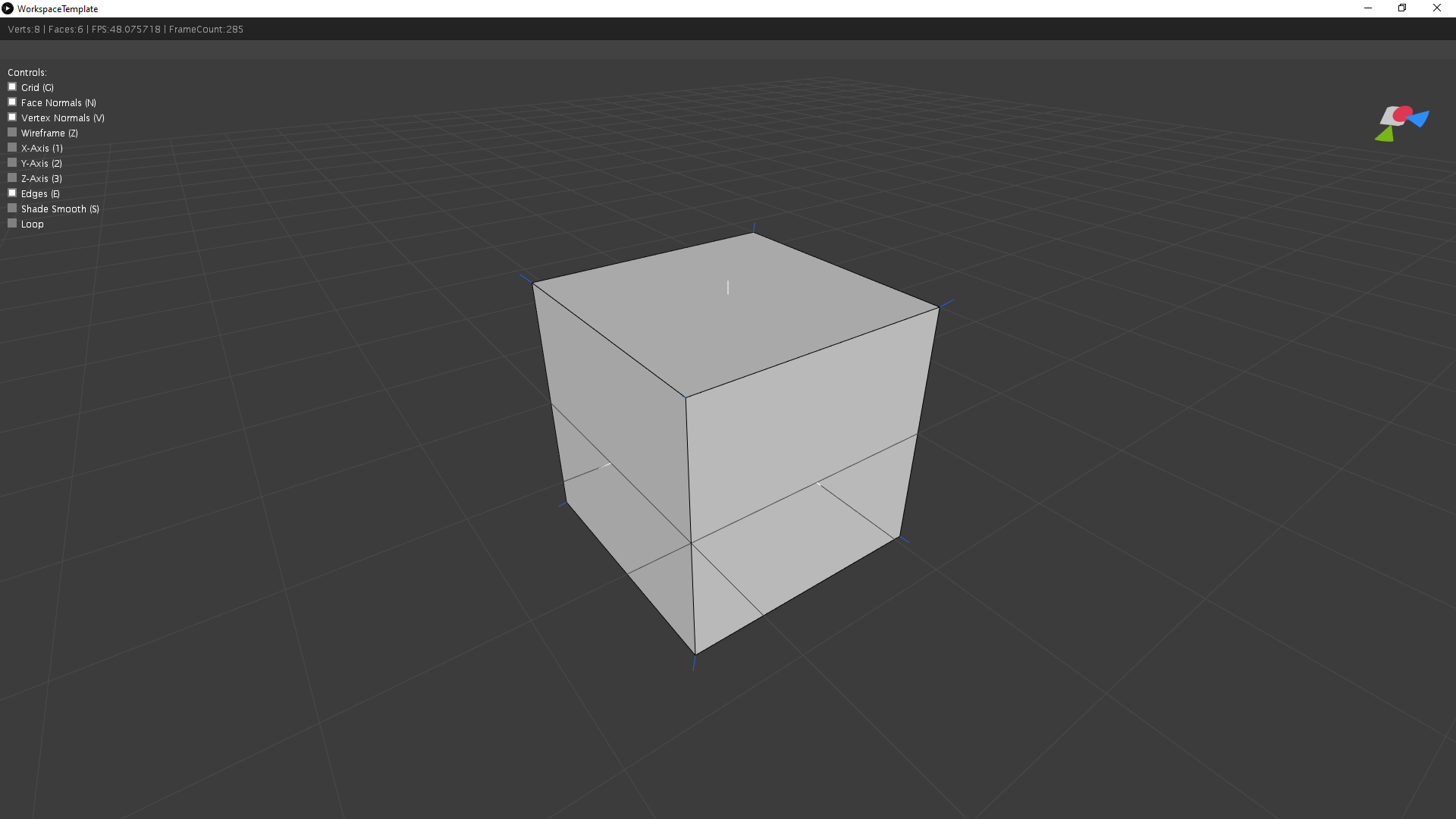
The workspace is a minimal, Processing-based mesh viewer intended exclusively as a developer tool.
Example Usage
public class WorkspaceTemplate extends PApplet {

    public static void main(String[] args) {
        PApplet.main(WorkspaceTemplate.class.getName());
    }

    private Mesh3D mesh;
    private Workspace workspace;

    @Override
    public void settings() {
        size(1000, 1000, P3D);
        smooth(8);
    }

    @Override
    public void setup() {
        workspace = new Workspace(this);
        workspace.setGridVisible(true);
        workspace.setUiVisible(true);
        mesh = new CubeCreator().create();
    }

    @Override
    public void draw() {
        workspace.draw(mesh);
    }
}
Contributing
Artifact Forms is actively under development, with a focus on improving documentation and adding new features. Contributions are welcome.
Licence
License Copyright (c) 2022 Simon Dietz